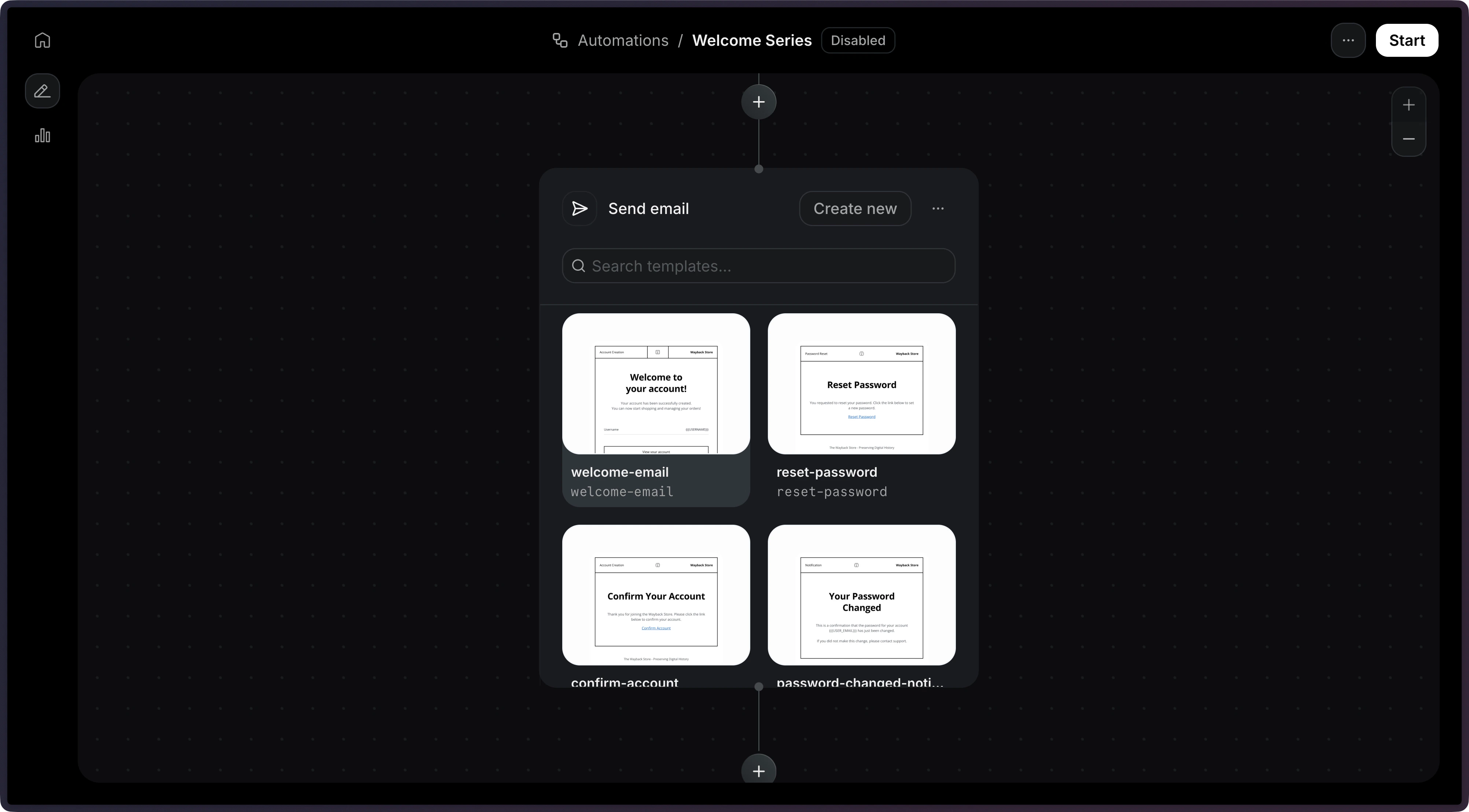
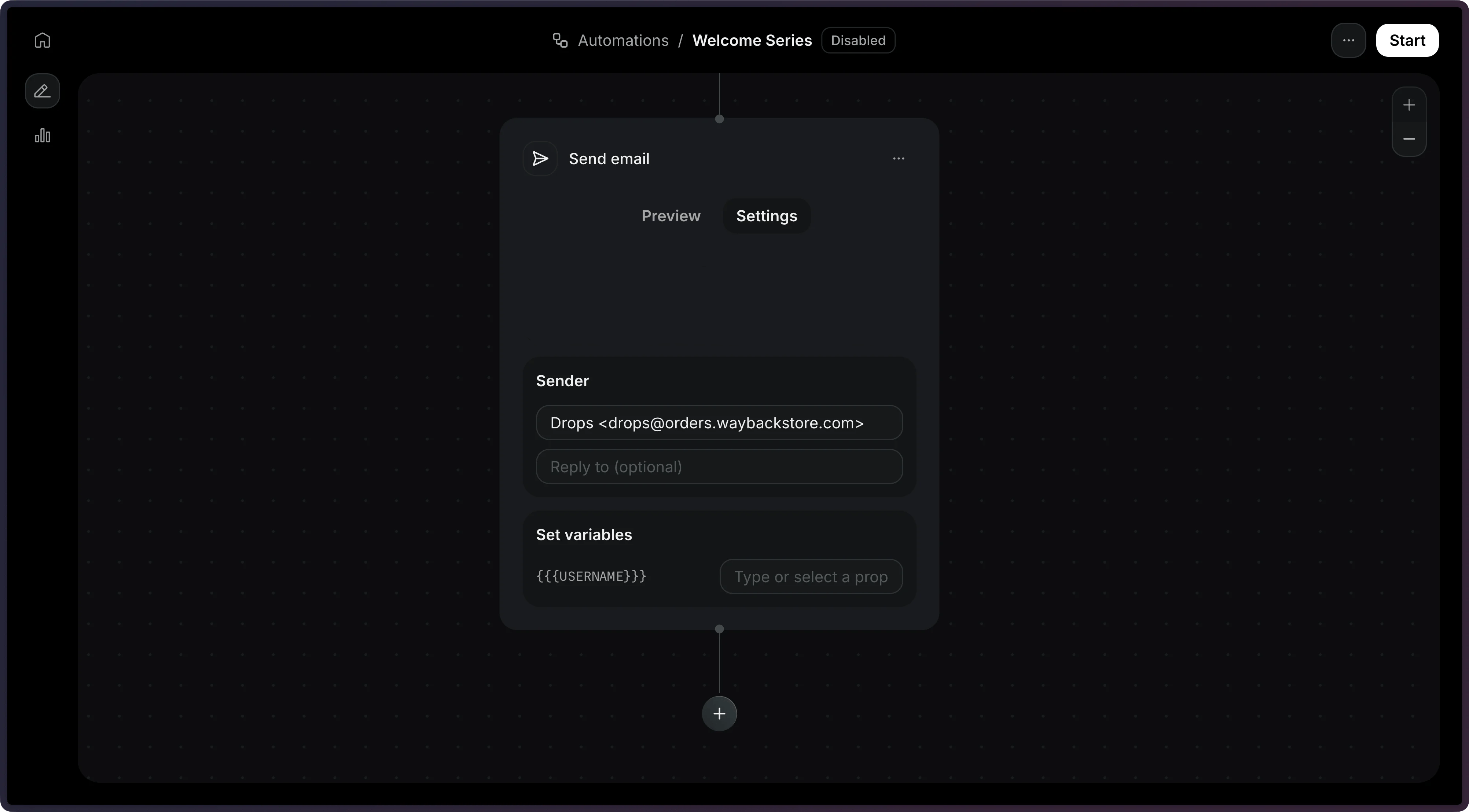
This automation step triggers a Template email to be sent to the contact.
How it works
Using the dashboard
Using the API
After adding a trigger , create a new step to Send an email . Select a published template, then configure the subject and sender address. Add a send_email step to your Automation’s steps array. Node.js
PHP
Python
Ruby
Go
Rust
Java
.NET
cURL
CLI
import { Resend } from 'resend' ;
const resend = new Resend ( 're_xxxxxxxxx' );
const { data , error } = await resend.automations. create ({
name: 'Welcome series' ,
steps: [
{
key: 'start' ,
type: 'trigger' ,
config: { eventName: 'user.created' },
},
{
key: 'welcome' ,
type: 'send_email' ,
config: {
template: {
id: '044db673-fff6-420f-a566-f6aba05d60e7' ,
},
},
},
],
connections: [{ from: 'start' , to: 'welcome' }],
});
Only published templates are available to be used in an Automation.
Template variables
Use the variables field to pass data into your template. Each variable value can be a dynamic reference or a static string.
Type Format Description Event data { "var": "event.<field>" }Resolves a field from the triggering event’s payload. Contact data { "var": "contact.<field>" }Resolves a field from the contact record. Waited event data { "var": "wait_events.<event_name>.<field>" }Resolves a field from a preceding wait for event step’s payload. Static value "<string>"Passed as-is to the template.
{
"key" : "welcome" ,
"type" : "send_email" ,
"config" : {
"template" : {
"id" : "044db673-fff6-420f-a566-f6aba05d60e7" ,
"variables" : {
"firstName" : { "var" : "event.firstName" },
"orderNumber" : { "var" : "event.orderId" },
"total" : { "var" : "event.amount" },
"company" : { "var" : "contact.properties.company" },
"feedback" : { "var" : "wait_events.feedback.received.response" },
"supportEmail" : "help@example.com"
}
}
}
}
If the same branch has multiple wait for
event steps with the same key, the
resolved data will come from the last event received before the current step.
Template variables must be present in your referenced template and the key names must match exactly with the template variable names.
For more help working with variables, see the Template documentation .
Configuration
The published template to send. Provide id and optionally variables. The ID or alias of the template to send.
config.template.variables
A key-value map of template variables. Each value can be a static string or a variable reference object ({ "var": "event.fieldName" }) that resolves dynamically from the event.*, contact.*, or wait_events.* namespaces.
The sender email address. If provided, this value will override the template’s default value.
The email subject line. If provided, this value will override the template’s default value.
Reply-to email address. If provided, this value will override the template’s default value.
{
"key" : "welcome" ,
"type" : "send_email" ,
"config" : {
"template" : {
"id" : "062f8ef4-fbfa-44f1-b5e0-ff8e1e8ffa96" ,
"variables" : {
"name" : { "var" : "event.firstName" }
}
},
"from" : "hello@example.com" ,
"subject" : "Welcome!" ,
"reply_to" : "support@example.com"
}
}