

- Compliance: Delete contacts as part of a data-removal workflow.
- Churn: Remove a contact, when a user stops using your service.
- Unsubscribe flows: Automatically remove contacts who opt out.
How it works
- Using the dashboard
- Using the API
Include the Delete contact step to your Automation.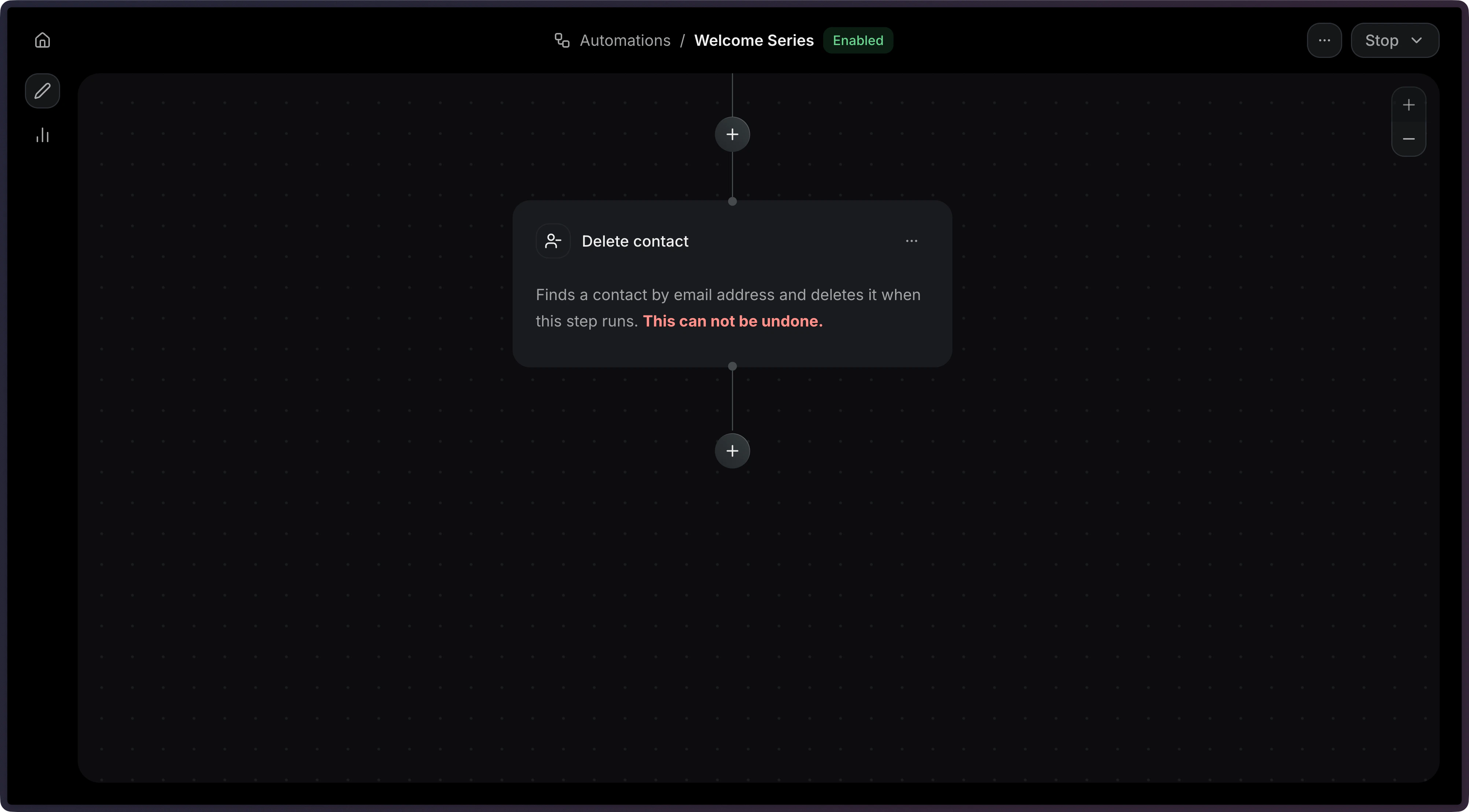
Add a The
contact_delete step to your Automation’s steps array.import { Resend } from 'resend';
const resend = new Resend('re_xxxxxxxxx');
const { data, error } = await resend.automations.create({
name: 'Remove churned users',
steps: [
{
key: 'start',
type: 'trigger',
config: { eventName: 'user.deleted' },
},
{
key: 'remove',
type: 'contact_delete',
config: {},
},
],
connections: [{ from: 'start', to: 'remove', type: 'default' }],
});
$resend = Resend::client('re_xxxxxxxxx');

$resend->automations->create([
  'name' => 'Remove churned users',
  'steps' => [
    [
      'key' => 'start',
      'type' => 'trigger',
      'config' => ['event_name' => 'user.deleted'],
    ],
    [
      'key' => 'remove',
      'type' => 'contact_delete',
      'config' => [],
    ],
  ],
  'connections' => [['from' => 'start', 'to' => 'remove', 'type' => 'default']],
]);
import resend

resend.api_key = "re_xxxxxxxxx"

params: resend.Automations.CreateParams = {
  "name": "Remove churned users",
  "steps": [
    {
      "key": "start",
      "type": "trigger",
      "config": {"event_name": "user.deleted"},
    },
    {
      "key": "remove",
      "type": "contact_delete",
      "config": {},
    },
  ],
  "connections": [{"from": "start", "to": "remove", "type": "default"}],
}

resend.Automations.create(params)
require "resend"

Resend.api_key = "re_xxxxxxxxx"

params = {
  name: "Remove churned users",
  steps: [
    {
      key: "start",
      type: "trigger",
      config: { event_name: "user.deleted" },
    },
    {
      key: "remove",
      type: "contact_delete",
      config: {},
    },
  ],
  connections: [{ from: "start", to: "remove", type: "default" }],
}

Resend::Automations.create(params)
package main

import "github.com/resend/resend-go/v4"

func main() {
	client := resend.NewClient("re_xxxxxxxxx")

	params := &resend.CreateAutomationRequest{
		Name: "Remove churned users",
		Steps: []resend.AutomationStep{
			{
				Key:  "start",
				Type: resend.AutomationStepTypeTrigger,
				Config: map[string]any{
					"event_name": "user.deleted",
				},
			},
			{
				Key:    "remove",
				Type:   resend.AutomationStepTypeContactDelete,
				Config: map[string]any{},
			},
		},
		Connections: []resend.AutomationConnection{
			{From: "start", To: "remove", Type: resend.AutomationConnectionTypeDefault},
		},
	}

	client.Automations.Create(params)
}
use resend_rs::{
  json,
  types::{
    AutomationStatus, Connection, ConnectionType, CreateAutomationOptions, Step, TriggerStepConfig,
  },
  Resend, Result,
};

#[tokio::main]
async fn main() -> Result<()> {
  let resend = Resend::new("re_xxxxxxxxx");

  let opts = CreateAutomationOptions {
    name: "Remove churned users".to_owned(),
    steps: vec![
      Step::Trigger {
        key: "start".to_owned(),
        config: TriggerStepConfig {
          event_name: "user.deleted".to_owned(),
        },
      },
      Step::ContactDelete {
        key: "remove".to_owned(),
        config: json!("{}"),
      },
    ],
    connections: vec![Connection::new("start", "remove").with_type(ConnectionType::Default)],
    status: AutomationStatus::Disabled,
  };
  let _automation = resend.automations.create(opts).await?;

  Ok(())
}
import com.resend.*;
import com.resend.core.exception.ResendException;
import com.resend.services.automations.model.AutomationConnection;
import com.resend.services.automations.model.AutomationStep;
import com.resend.services.automations.model.ConnectionType;
import com.resend.services.automations.model.CreateAutomationOptions;
import com.resend.services.automations.model.CreateAutomationResponseSuccess;

public class Main {
    public static void main(String[] args) throws ResendException {
        Resend resend = new Resend("re_xxxxxxxxx");

        CreateAutomationOptions options = CreateAutomationOptions.builder()
                .name("Remove churned users")
                .steps(
                    AutomationStep.trigger("start")
                        .eventName("user.deleted")
                        .build(),
                    AutomationStep.contactDelete("remove")
                        .build()
                )
                .connections(
                    AutomationConnection.builder()
                        .from("start")
                        .to("remove")
                        .type(ConnectionType.DEFAULT)
                        .build()
                )
                .build();

        CreateAutomationResponseSuccess data = resend.automations().create(options);
    }
}
using Resend;
using System.Text.Json;

IResend resend = ResendClient.Create( "re_xxxxxxxxx" );

var startConfig = JsonSerializer.SerializeToElement( new { event_name = "user.deleted" } );
var removeConfig = JsonSerializer.SerializeToElement( new { } );

var resp = await resend.AutomationCreateAsync( new AutomationCreateData()
{
    Name = "Remove churned users",
    Steps = new List<AutomationStepData>
    {
        new AutomationStepData { Ref = "start", Type = "trigger", Config = startConfig },
        new AutomationStepData { Ref = "remove", Type = "contact_delete", Config = removeConfig },
    },
    Connections = new List<AutomationEdge>
    {
        new AutomationEdge { From = "start", To = "remove", EdgeType = "default" },
    },
} );
curl -X POST 'https://api.resend.com/automations' \
     -H 'Authorization: Bearer re_xxxxxxxxx' \
     -H 'Content-Type: application/json' \
     -d '{
  "name": "Remove churned users",
  "steps": [{
    "key": "start",
    "type": "trigger",
    "config": { "event_name": "user.deleted" }
  }, {
    "key": "remove",
    "type": "contact_delete",
    "config": {}
  }],
  "connections": [
    { "from": "start", "to": "remove", "type": "default" }
  ]
}'
resend automations create --name "Remove churned users" --file ./automation.json
config object is empty, so no additional fields are required.Deleting a contact is permanent. The contact and all of its properties are
removed from the audience. If the contact needs to be re-added later, it must
be created again.
Configuration
Example
{
  "key": "remove_contact",
  "type": "contact_delete",
  "config": {}
}